
Password Recovery For Ipswitch WS_FTP Price:$49 Password Recovery Software For Ipswitch WS_FTP empowers user to retrieve lost password From Ipswitch WS_FTP Software. Password restoration tool recover passwords even with special characters instantly.
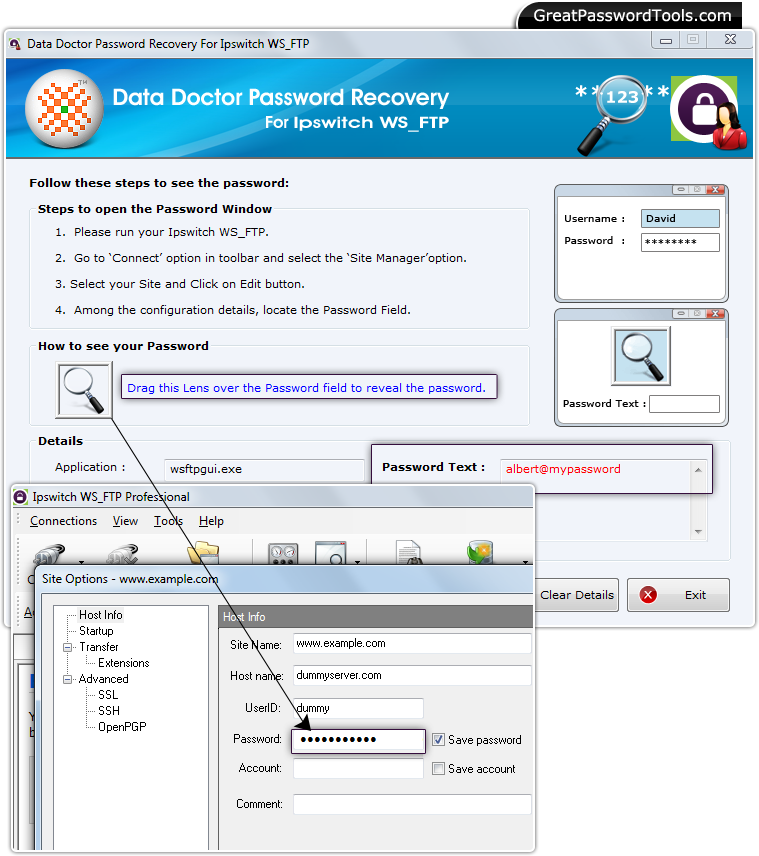 How to recover lost password from Ipswitch WS_FTP?
Step – 1 : Install Password Recovery For Ipswitch WS_FTP
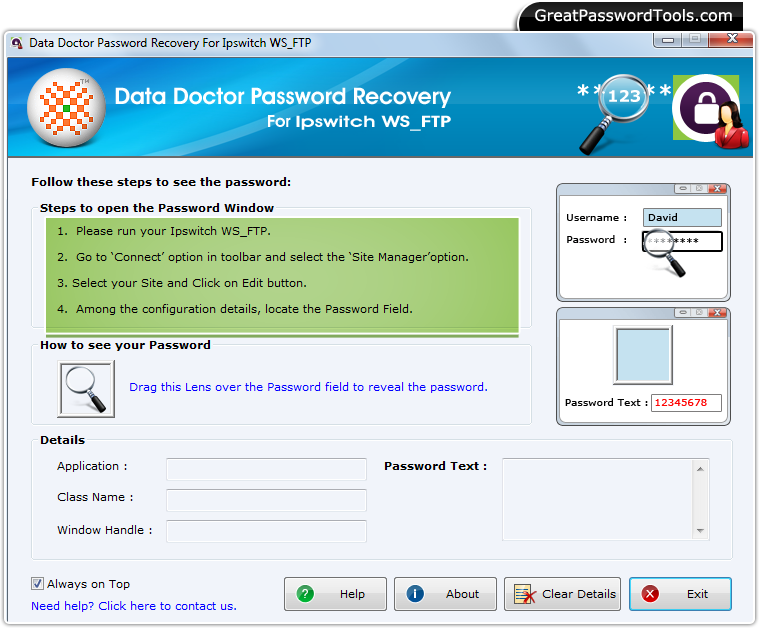
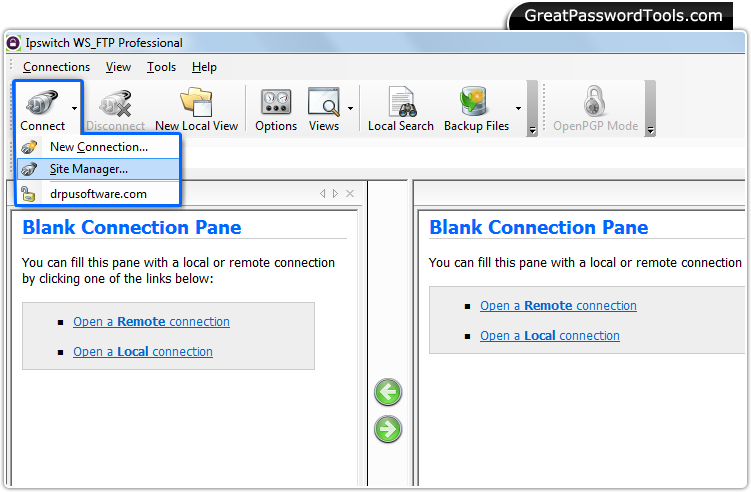
First, Install and Run Password Recovery Software For Ipswitch WS_FTP. Step – 2 : Run Ipswitch WS_FTP Software and Go to ‘Connect’ Menu
Run Ipswitch WS_FTP Software and Select 'Site Manager' option from ‘Connect’ Menu.
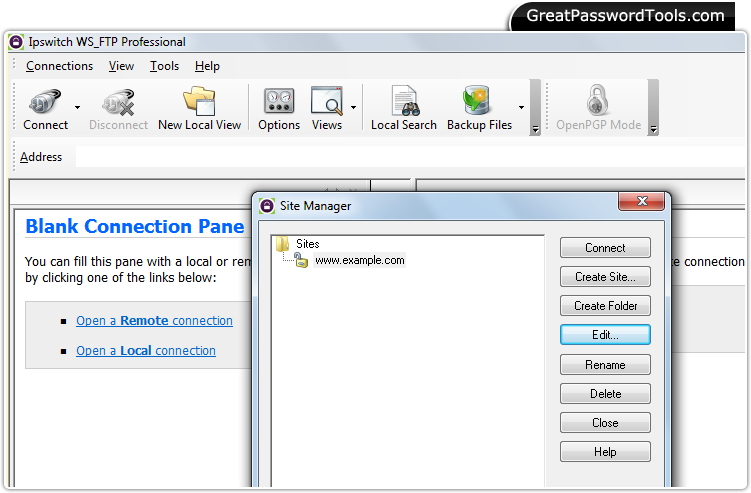
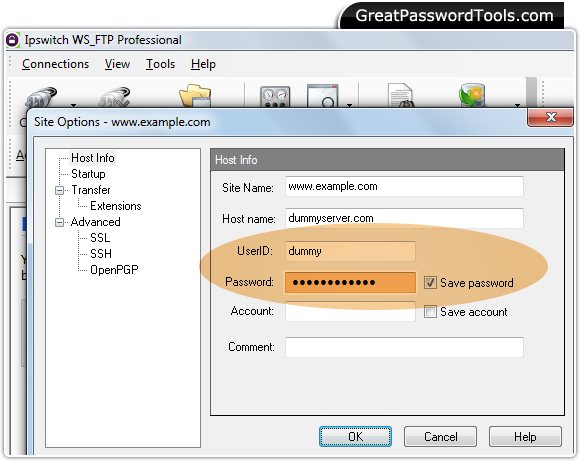
Select your site and click on 'Edit' button. Step – 4 : Password Field
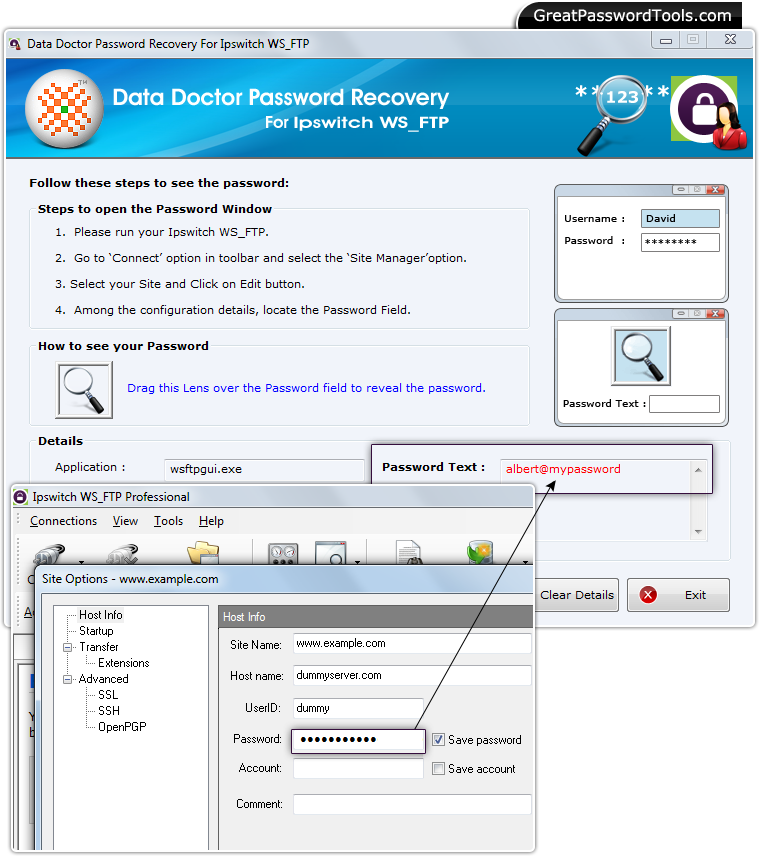
Among the site configuration details, locate the password field by dragging lens over it. Step –4 : Password Recovery
Revealed Password will be displayed in the 'Password Text' field as shown above. |
Price:$49
If you have any query, Contact Us
Password Recovery Software |