
Password Recovery Software For ALFTP Price:$45 Password Recovery Software For ALFTP recovers forgotten password from ALFTP software. Password restoration program recovers passwords even with special characters and successfully displays lost password within minimal time and efforts.
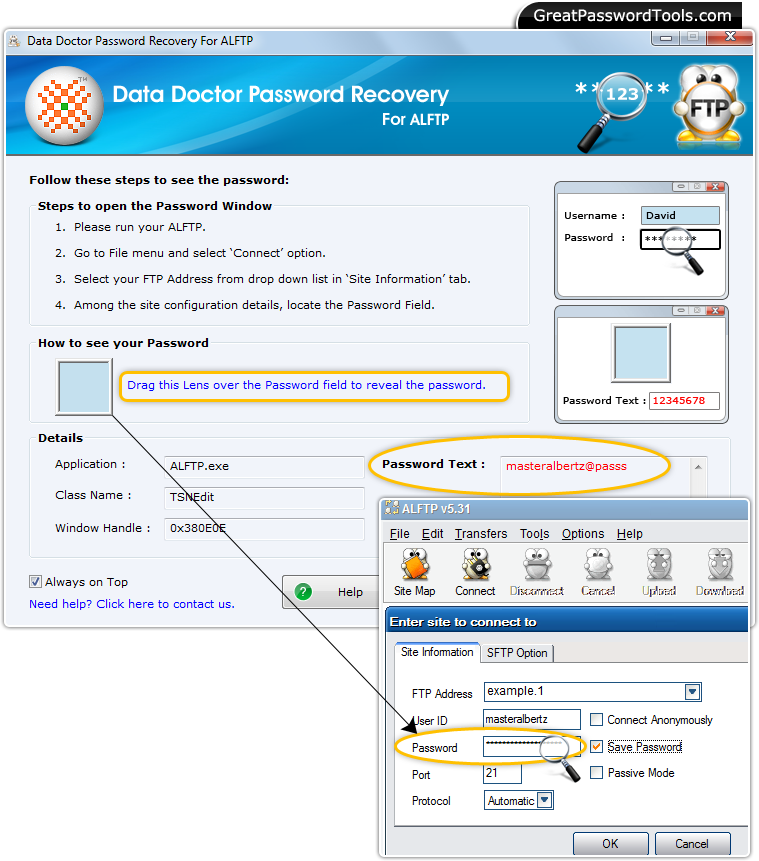 How to recover lost password from ALFTP?
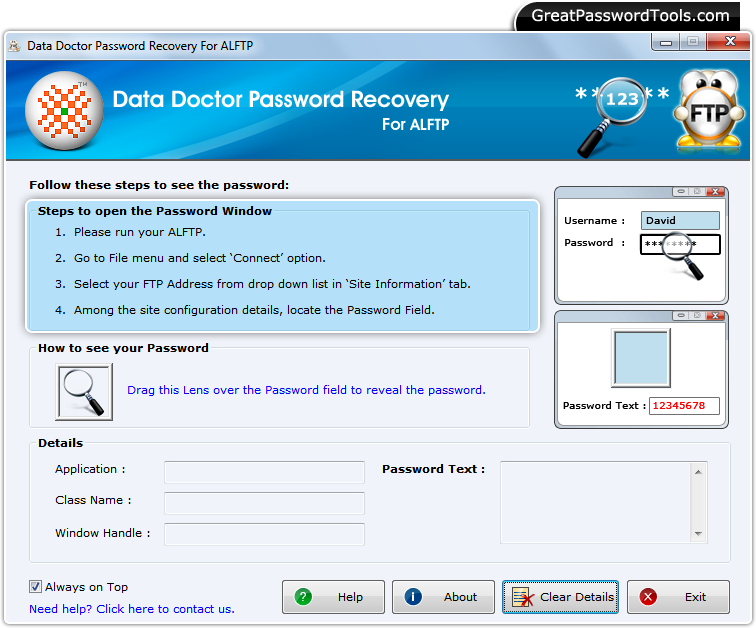
Step – 1 : Run Password Recovery Software For ALFTP
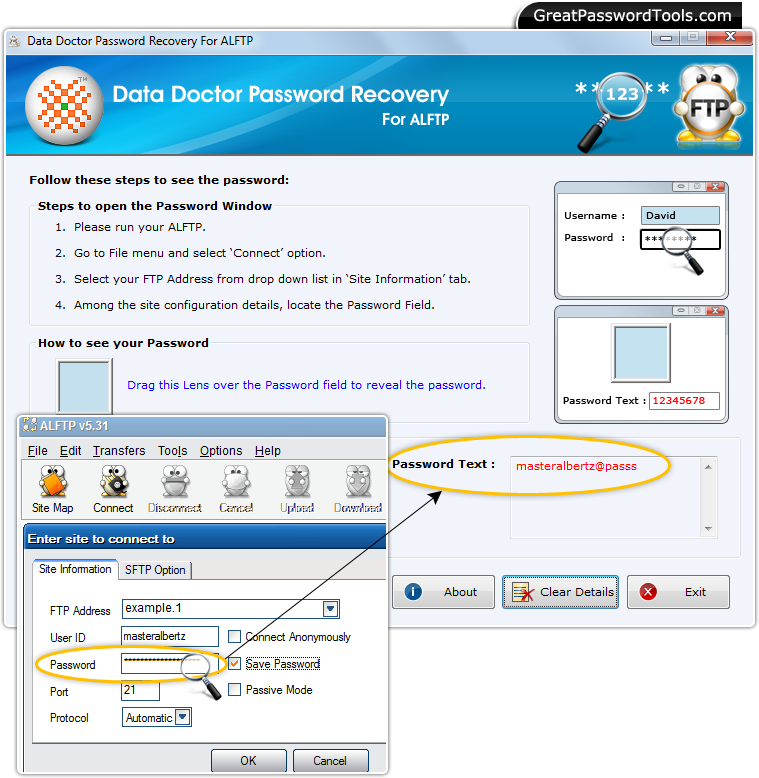
Above window will be appear, after runnning the Password Recovery Software for ALFTP. Step – 2 : Open ALFTP software and Go to ‘File’ Menu
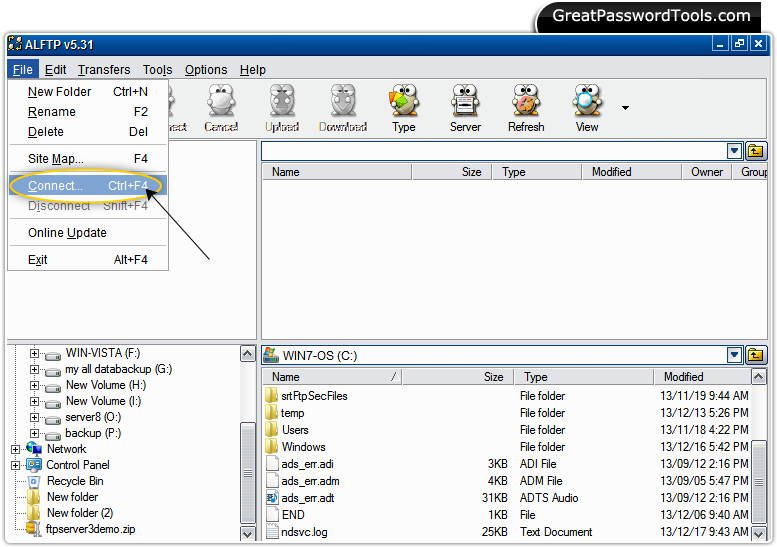
Run ALFTP software and select 'Connect' option from 'File' menu. Step – 3 : Password Field
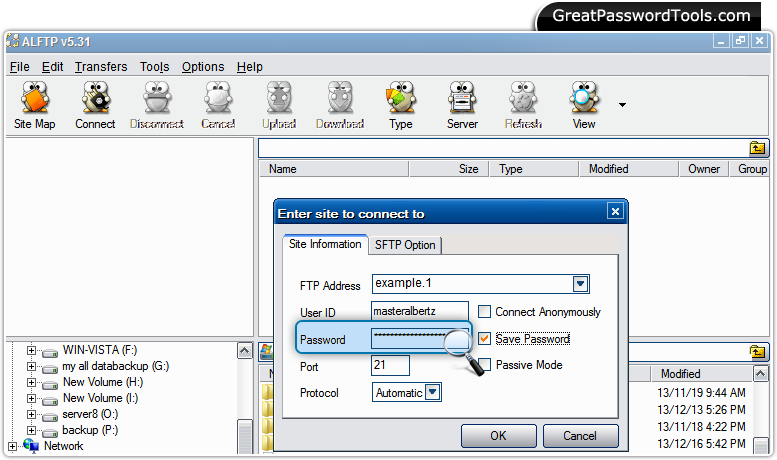
Go to 'Site Information' tab to select your FTP Address from drop down list. Now you are able to see password field. Step –4 : Password Recovery
Drag lens over the password field to recover password that will be displayed in 'Password Text' field as shown above. |
Price:$45
If you have any query, Contact Us
Password Recovery Software |