
Password Recovery For Core FTP Price:$49 Password Recovery Software For Core FTP Server helps you to retrieve lost password from Core FTP Software. Password Restoration tool easily reveal your FTP server password even with special character and is compatible with all major Windows operating systems.
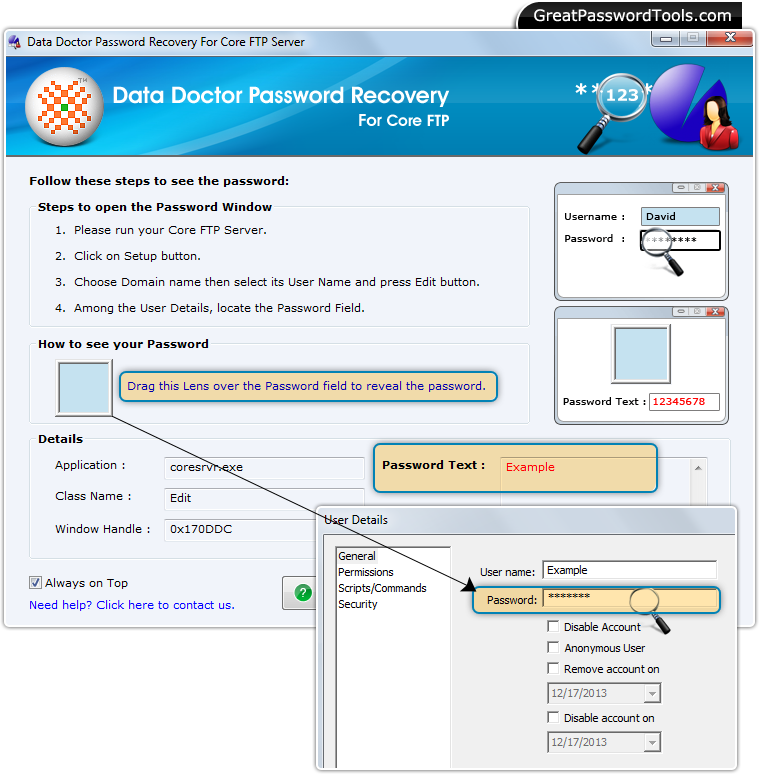 Steps to recover forgotten or lost password from Core FTP
Step – 1 : Run Password Recovery Software For Core FTP
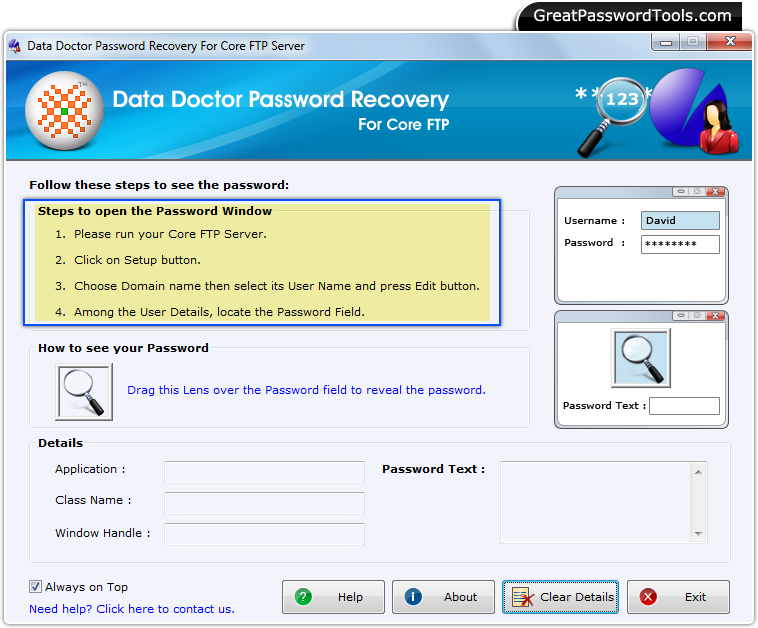
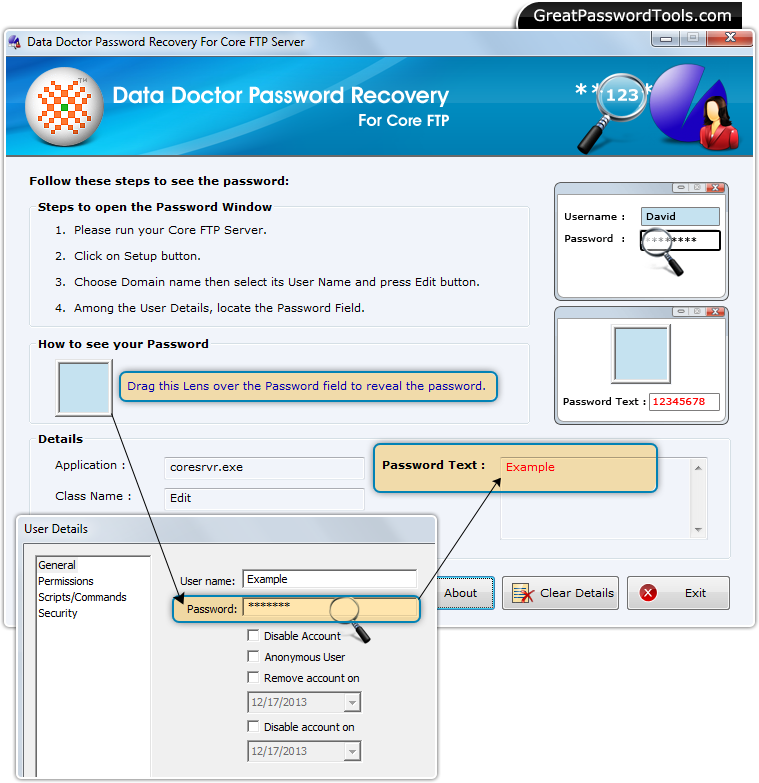
After running Password Recovery Software For Core FTP, above screen will be appear. Step – 2 : Open Core FTP and click on 'Setup' Button
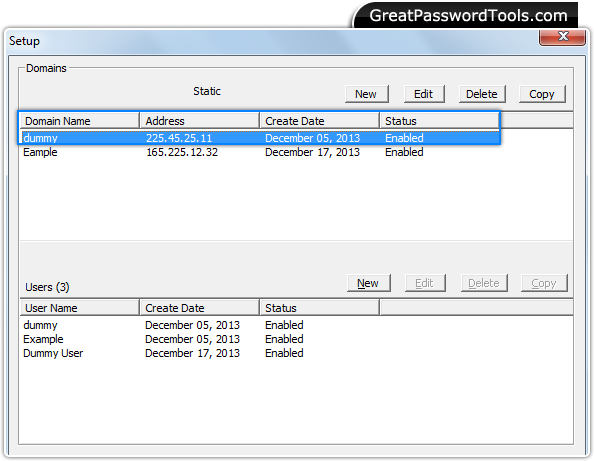
Run Core FTP and Click on 'Setup' button to choose your domain. Step – 3 : Select User Name
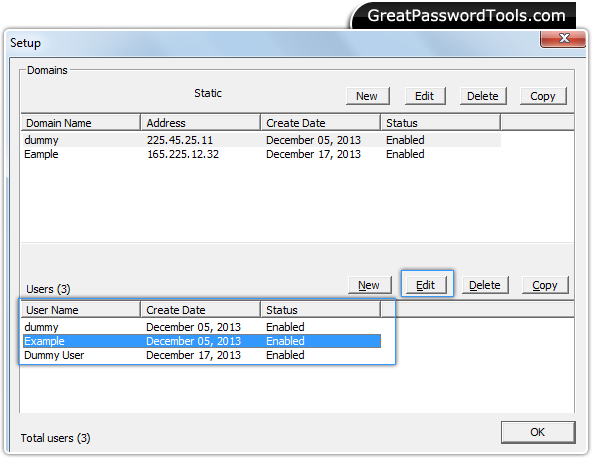
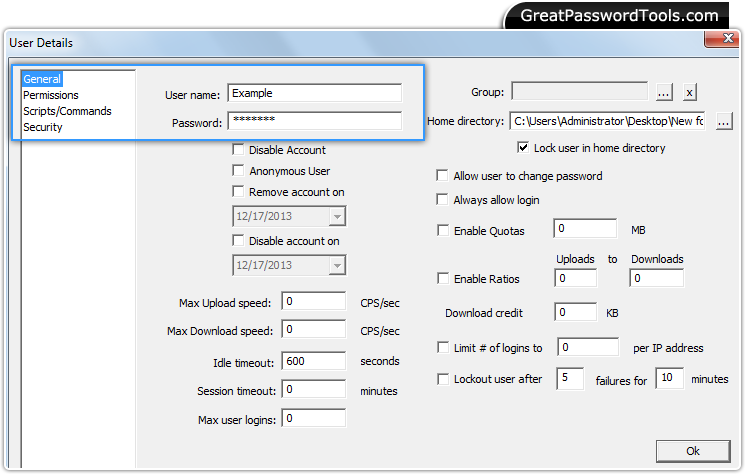
Select user name and click on 'Edit' button. Step – 4 : Password Field
Now, you are able to view the password field. Step –5 : Password Recovery
Locate the password field by dragging lens on it. In above screenshot, recovered password is shown in the 'Password Text' Field. |
Price:$49
If you have any query, Contact Us
Password Recovery Software |